
EPrints Technical Mailing List Archive
See the EPrints wiki for instructions on how to join this mailing list and related information.
Message: #10373
< Previous (by date) | Next (by date) > | < Previous (in thread) | Next (in thread) > | Messages - Most Recent First | Threads - Most Recent First
Re: [EP-tech] Restrict sepcific editor only upload in specific divisions
- To: eprints-tech@ecs.soton.ac.uk, John Salter <J.Salter@leeds.ac.uk>
- Subject: Re: [EP-tech] Restrict sepcific editor only upload in specific divisions
- From: "Agung Prasetyo W." <prazetyo@gmail.com>
- Date: Thu, 28 May 2026 08:43:04 +0700
Hi John,
After several attempts, I finally got what I wanted. Based on your guide for adding fields and phrases, I added the following steps:
I want to display the Deposit division in the user profile edit screen, but strictly for standard users (hiding it from admins and editors).
Edit default.xml on user workflow.
Locate <stage name="default"> and insert the following block inside it (for example, below the personal details section):
<epc:if test="usertype = 'user'">
<component>
<field ref="deposit_division"/>
</component>
</epc:if>
I need to prevent users from manually selecting a division during the deposit process if the Administrator has already assigned one to them. If no division is assigned, the user will still be required to choose one.
Edit file default.xml on eprints workflow, and locate the component that renders the divisions field, comment it out, and replace it with:
<epc:choose>
<epc:when test="!$current_user{deposit_division}.is_set()">
<component>
<field ref="divisions" required="yes" />
</component>
</epc:when>
</epc:choose>
Since I hide the divisions input in step above, EPrints will throw a "Required field" validation error during the workflow because the field is technically empty. To bypass this, I must populate the field in the background before the validation occurs.
Edit eprint_fields_automatic.pl and find the function $c->{set_eprint_automatic_fields} = sub { ... };. Add the following script just above the closing bracket };:
my $repo = $eprint->repository;
if( defined $repo->current_user )
{
my $user = $repo->current_user;
if( $user->is_set( "deposit_division" ) )
{
my $division = $user->value( "deposit_division" );
$eprint->set_value( "divisions", [ $division ] );
}
}
After that, we need to run epadmin reload and restart the Apache service.
If possible, this could be included on the eprints wiki page.
I'd be happy to write a more organized guide.
Thank you.
Regards,
Agung Prasetyo W.
Hi John,
I've tried following your suggestions. Here's the explanation:
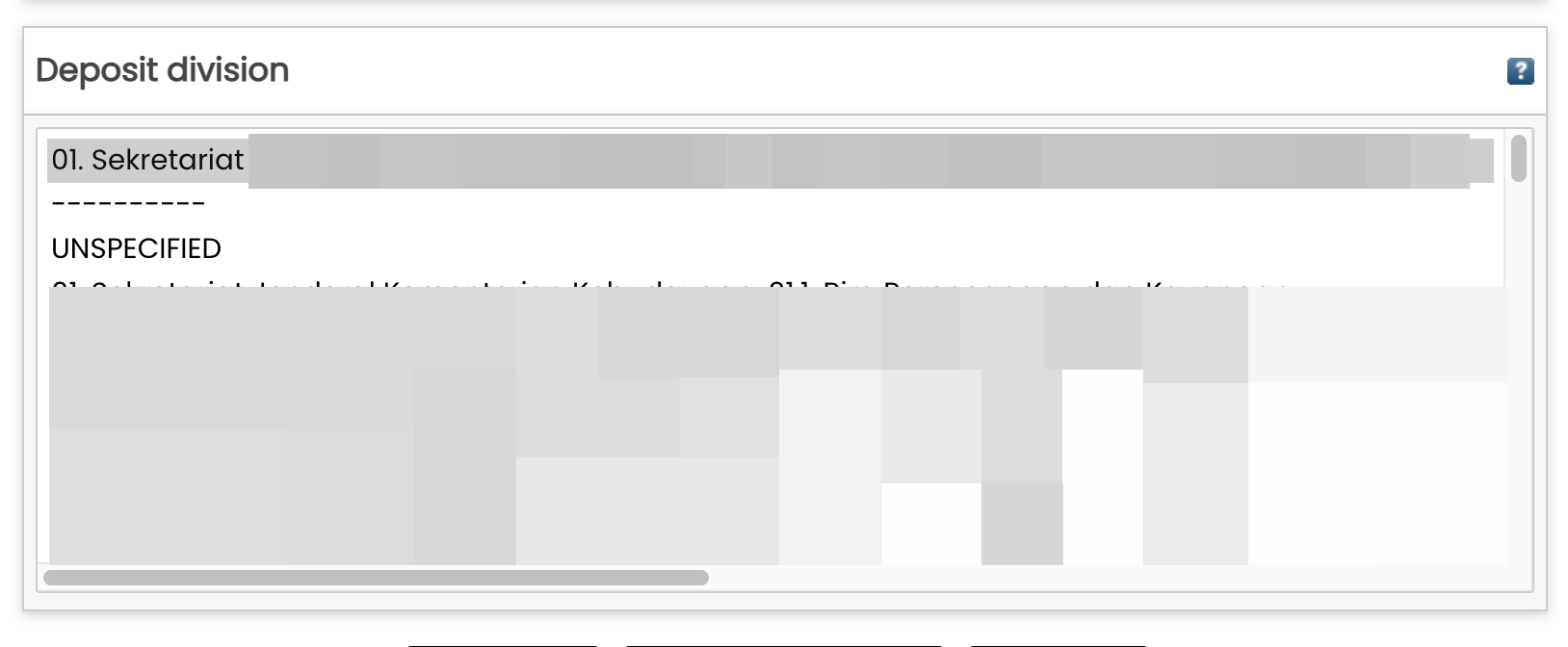
When creating a user, the Deposit Division screen appears. So I can select which division this user belongs to.
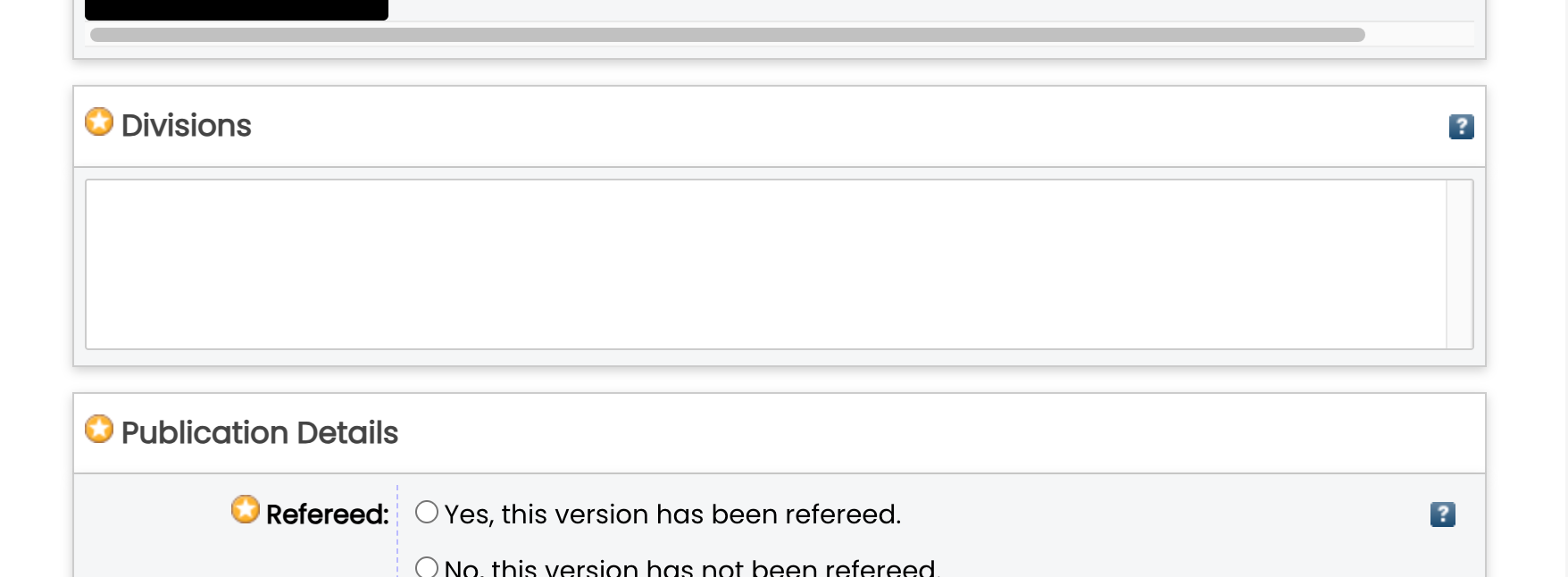
When I try to deposit using the user I created, the Division screen appears as shown below. The division screen is blank.
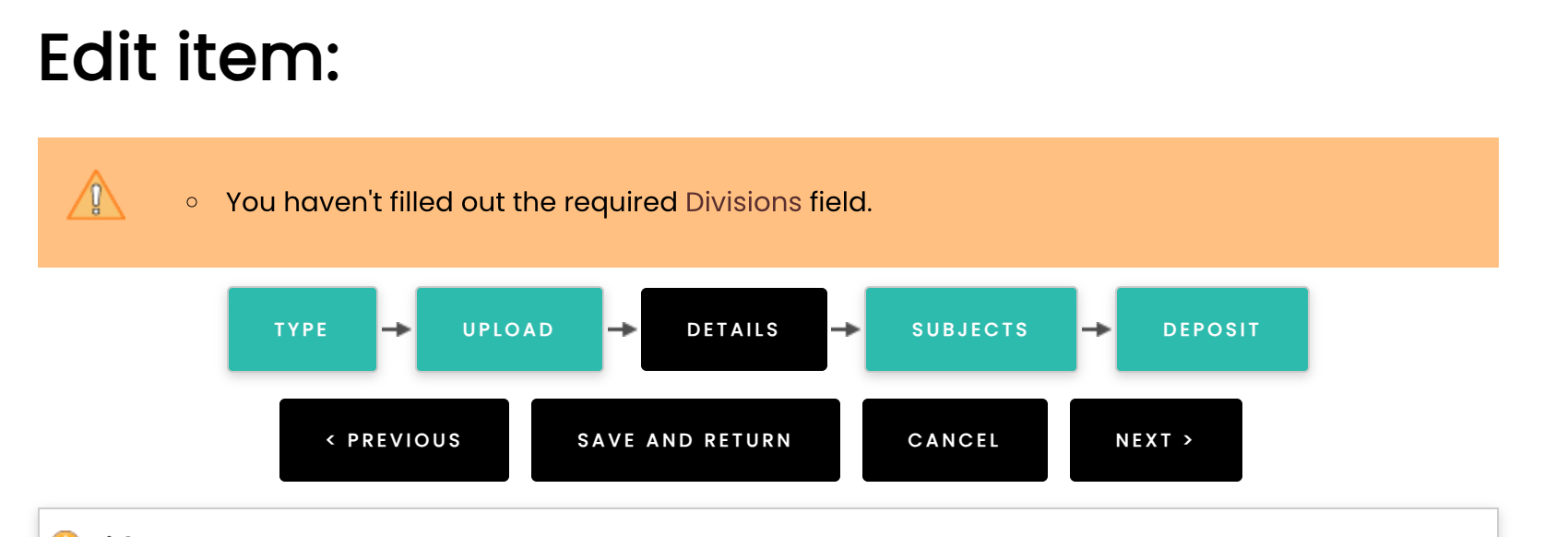
However, during the deposit process, an error appears saying "You haven't filled out the required Divisions field," as shown in the screenshot below.
Then I have a question: if I don't select Divisions when depositing, will the Divisions screen be blank on the summary page? It will be assumed that I haven't selected any Divisions. Or will it be automatically saved in the database and appear on the summary page?
Thank you.
Best regards,Agung Prasetyo W.
On Wed, 27 May 2026 at 22:16, John Salter <J.Salter@leeds.ac.uk> wrote:
*** Options: https://wiki.eprints.org/w/Eprints-tech_Mailing_ListCAUTION: This e-mail originated outside the University of Southampton.CAUTION: This e-mail originated outside the University of Southampton.Hi Agung,***NOTE: This IS NOT fully tested***
One way to achieve this is to add a new field to the user, and use that to control the options presented in the deposit workflow.I wrote this page a while ago that covers a similar thing: https://wiki.eprints.org/w/How_to_control_eprint_workflow_based_on_a_user_field but this doesn't cover using a subject tree to control the options.
If the depositor should only be allowed to deposit in ONE division (or children of it), you could do something like:
<epp:phrase id="user_fieldhelp_deposit_division">If the user should only be allowed to depoist under one division, please add it here.</epp:phrase>
<epc:choose><epc:when test="$current_user{deposit_division}.is_set()"><component><field ref="divisions" required="yes" top="{$current_user{deposit_division}.as_string()}" /></component></epc:when><epc:otherwise><component><field ref="divisions" required="yes" /></component></epc:otherwise></epc:choose>
Please let me know if the above works for you (or if you have further questions). If it works, I can add it as an example on the Wiki page linked above.
If a user may need to deposit into multiple divisions at the same level (e.g. Biology and History), this approach won't work.If you need this, there is probably a way to do it - but it will be a lot more complex!
Cheers,John
From: eprints-tech-request@ecs.soton.ac.uk <eprints-tech-request@ecs.soton.ac.uk> on behalf of Agung Prasetyo W. <prazetyo@gmail.com>
Sent: Wednesday, May 27, 2026 06:35
To: eprints-tech@ecs.soton.ac.uk <eprints-tech@ecs.soton.ac.uk>
Subject: [EP-tech] Restrict sepcific editor only upload in specific divisions
CAUTION: External Message. Use caution opening links and attachments.
I want to restrict Editor "agung" to uploading items only in the "Computer Science" division, while Editor "chandra" can only upload items in the "Biology" division. Meanwhile, the review process is still carried out by a user with Editor privileges.
Here are the rules I use:
$c->{roles}->{"division_depositor"} = [
"-editorial_review",
"-user/edit:owner",
"-user/staff/edit",
"-status",
"-datasets",
"-saved_search",
];
With the above user roles, Editor "agung" can still select other divisions in the workflow details.
Please help.
Thank you.
Best regards,Agung PW
*** Archive: https://www.eprints.org/tech.php/
*** EPrints community wiki: https://wiki.eprints.org/
- References:
- [EP-tech] Restrict sepcific editor only upload in specific divisions
- From: "Agung Prasetyo W." <prazetyo@gmail.com>
- Re: [EP-tech] Restrict sepcific editor only upload in specific divisions
- From: John Salter <J.Salter@leeds.ac.uk>
- Re: [EP-tech] Restrict sepcific editor only upload in specific divisions
- From: "Agung Prasetyo W." <prazetyo@gmail.com>
- [EP-tech] Restrict sepcific editor only upload in specific divisions
- Prev by Date: Re: [EP-tech] Restrict sepcific editor only upload in specific divisions
- Next by Date: Re: [EP-tech] Rest API permissions
- Previous by thread: Re: [EP-tech] Restrict sepcific editor only upload in specific divisions
- Next by thread: [EP-tech] Create read URL for embargoed items
- Index(es):